After EffectsPremiere ProBuilt By An Editor

Edit Faster.
Ship Sooner.

Two panels that strip the repetitive work out of your timeline — the shortcuts, presets and one-click fixes I built for my own edits, now yours.

Runs fully offline Lifetime updates 14-day refund
Tested on
After Effects 2023 Premiere Pro 2023 Windows 11 Runs fully offline Local .zip install
The Tools

Two Panels.
One Faster Workflow.

Two very different sizes of tool. The After Effects panel is a sixteen-tool workbench; the Premiere one does a single job Premiere does badly. Both run offline, both include lifetime updates and a fourteen-day refund.

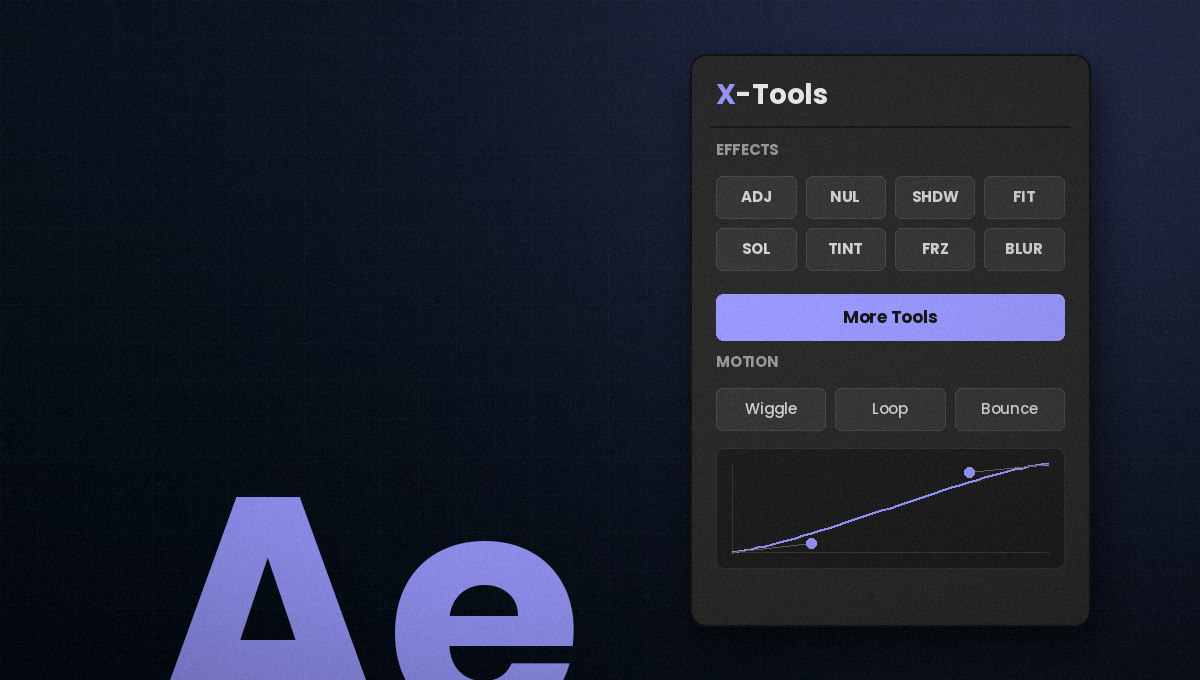
16 Tools Ae X-Tools for After Effects panel
Ae
After Effects

X-Tools for After Effects

A CEP panel holding sixteen tools — your preset library, your sound effects, a visual easing editor and the small repetitive jobs that eat a project. All local, all in one dock.

  • Preset library & SFX importer that read your own folders
  • Visual bezier easing editor with drag handles
  • Glass generator, text kit, arc paths, edge shadow, emoji
  • Project organizer, anchor grid and eight one-click actions
$49 One-time
Focused Tool Pr X-Tools Curve panel for Premiere Pro
Pr
Premiere Pro

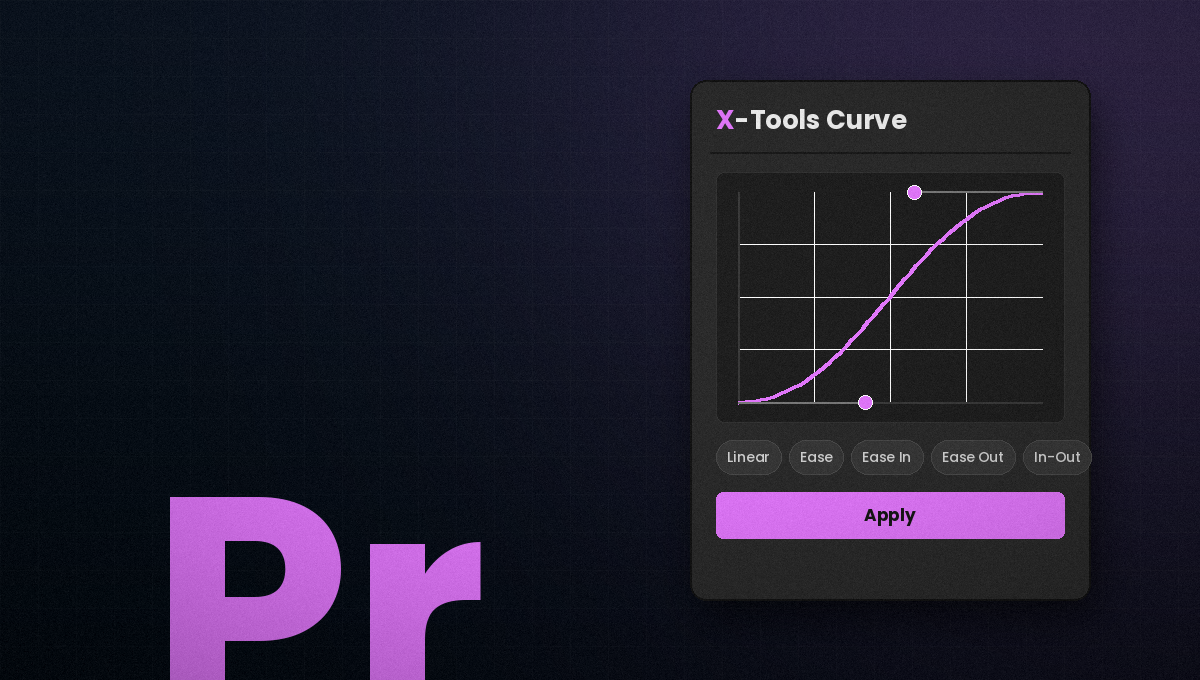
X-Tools Curve

Premiere gives you Ease In, Ease Out and a bezier handle you can't reach. This is a proper cubic-bezier editor — small on purpose, and the only thing of its kind you'll need.

  • Cubic-bezier editor with live readout and 5 presets
  • Auto-baked to frame-accurate keyframes
  • Clean Keys restore — curves never stack
  • Motion blur toggle and colour palette
$19 One-time
16
Tools In The Ae Panel
22
Tools Across Both
0
Cloud Services Required
0
Subscriptions
Why X-Tools

Built On A Real
Deadline, Not A Demo.

Every tool in here exists because I got tired of doing the same thing by hand. Nothing is filler, nothing is a wrapper around a menu item you already have.

No Cloud, No Analytics

Everything runs locally against your own folders. Nothing is uploaded, nothing is tracked, and the panels work with the network off.

Native Output

What the panels build is ordinary layers, effects and keyframes. A project you hand over opens and renders fine on a machine without X-Tools installed.

Lifetime Updates

Buy once. New tools and fixes arrive as a fresh download you drop over the old folder — no upgrade fee, no re-purchase.

It Remembers Your Setup

The Ae panel remembers your folder paths, accent colour and tool settings between sessions. Point it at your library once and it stays pointed there.

Your Library, Not Mine

The preset and SFX browsers read the folders you already own. No walled garden, no re-buying assets you have sitting on disk.

Support From The Person Who Built It

Emails come to me, not a ticket queue — and bug reports go straight to the person who can fix them.

Side By Side

Which One
Do You Need?

These aren't two sizes of the same thing. The After Effects panel is a workbench you keep docked all day. X-Tools Curve fixes one specific gap in Premiere and then gets out of the way. They overlap on three things — the curve editor, a motion blur toggle and the colour palette — and diverge on everything else.

Feature X-Tools for Ae X-Tools for Pr
Price$49 one-time$19 one-time
ScopeSixteen-tool workbenchOne job, done properly
Tested onAfter Effects 2023Premiere Pro 2023
Bezier easing editorVisual, drag handlesVisual, drag handles
Easing applies asKeyframes in After EffectsBaked keyframes, one per frame
Preset libraryReads your own folder
SFX importerSearch, preview, import
GeneratorsGlass, gradient text, emoji
Project organizerConsolidate, sort, label
One-click layer actionsNine of them
Motion blur toggleOne-button layer toggleTransform shutter angle
Needs Transform already on the clip
Colour paletteClick to copy hexClick to copy hex
Easing scopePer the After Effects editorWhole property — can't target selected keys
UndoAfter Effects undoClean Keys restore, session-scoped
Runs offlineNo cloud, no analyticsNo cloud, no analytics
Lifetime updatesIncludedIncluded
Licences

Pay Once.
Keep It Forever.

No subscription, no renewals, no feature paywalls. Buy the panel you need, or both together for less.

After Effects
$49one-time

The full Ae panel on its own.

  • All 16 tools
  • Preset library & SFX importer
  • Visual bezier easing editor
  • Runs offline · lifetime updates
Get The Ae Panel
Save $9 The Bundle
$59one-time

Both panels. The one most people take.

  • Everything in both licences
  • The same easing curves in Ae and Pr
  • Both panels, one email
  • Runs offline · lifetime updates
Get The Bundle
Premiere Pro
$19one-time

X-Tools Curve on its own.

  • Cubic-bezier editor & 5 presets
  • Clean Keys restore
  • Motion blur toggle & colour palette
  • Runs offline · lifetime updates
Get X-Tools Curve
14-day refund, no questions
Free updates for life
No cloud, no analytics
Payment link sent direct
Getting Started

Three Steps
To A Faster Timeline.

Tell me which panel

Send the enquiry form and pick your product. I reply with a payment link, the download and install instructions.

Unzip into your CEP folder

It's a copy-paste rather than an installer. Windows needs an unsigned-panel flag set once (PlayerDebugMode) — the readme covers it — then drop the folder in and restart.

Activate and dock

Paste your licence key once, park the panel beside Effect Controls and save your workspace. If it doesn't show up, message me and we'll sort it.

FAQ

Questions,
Answered.

No — they're separate panels and either works alone. The Ae panel is the bigger one: sixteen tools covering presets, sound effects, easing, generators and project cleanup. X-Tools Curve does one job — real bezier easing in Premiere — plus a motion blur toggle and a colour palette. If you work in both apps the bundle costs less than buying them apart.

Everything is built and tested on Windows 11 with the 2023 Adobe releases. That's what I can vouch for.

CEP panels are cross-platform by design, so macOS and neighbouring Adobe versions will likely work — but I haven't tested them and won't pretend otherwise. If you're on a different setup, buy it and tell me how it goes; the fourteen-day refund covers you either way.

No. One payment, yours permanently, including every future update. There's no renewal and no version you have to re-buy.

No. Both panels run locally against your own folders — there's no cloud service, no account and no analytics. Your folder paths and settings are stored on your machine and nowhere else.

The panels drive native Adobe features, so what they create is ordinary layers, effects, expressions and keyframes. Uninstalling X-Tools leaves your projects working — a collaborator without the panel opens and renders them normally, they just can't regenerate things from the panel.

Email within fourteen days and I'll refund you in full — no form to fill in and no explanation needed. If it's a bug I'd rather fix it, so tell me what broke either way.

Yes. The licence covers unlimited commercial output — client work, monetised content, ads, anything. What you can't do is redistribute or resell the panel itself.

Email me directly at workwithxian@gmail.com. It comes to my inbox, not a ticket system.

Stop doing by hand what a button can do. Get X-Tools.

Pick a panel, or take both. Fourteen days to change your mind.